RCH Data Entry: Complete Guide to the NHM Health Portal
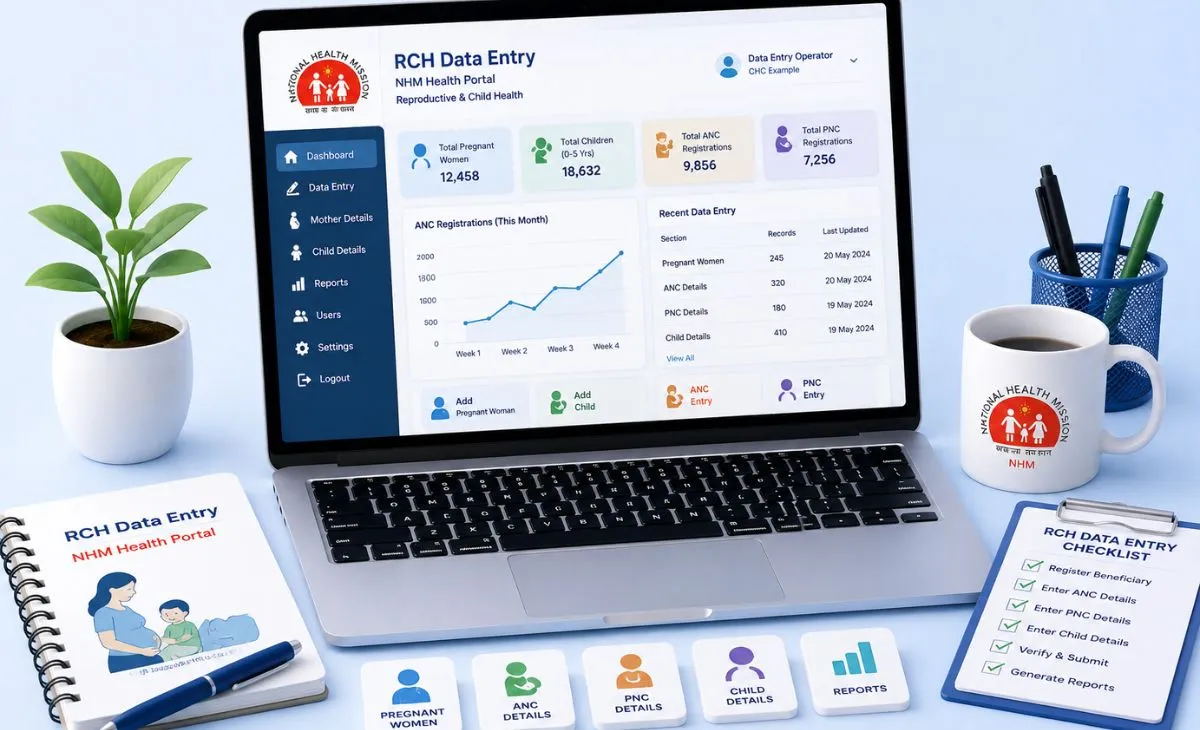
RCH data entry means recording maternal and child health information on rch.nhm.gov.in, the official government portal. Health workers like ANMs and ASHA workers use it mainly, to track pregnancies, child immunizations, and family planning services. The portal also lets beneficiaries self-register to check their own health records. This guide covers both sides of the system.
What the RCH Portal Actually Is
RCH stands for Reproductive and Child Health. It’s a Government of India portal. The National Health Mission (NHM) runs it, under the Ministry of Health and Family Welfare. The program launched back in 1997. The current portal is an upgraded version of an earlier system called MCTS, short for Mother and Child Tracking System.
The core goal is tracking maternal and child health across the country. This means recording pregnancy stages, high-risk pregnancy flags, immunization schedules, birth spacing, contraceptive use, and general maternal health. All of it sits in one central system. Health facilities across India can access it.
Two Very Different Ways People Use This Portal
A lot of confusion starts here. The site serves two completely different groups.
Beneficiaries: This means pregnant women, mothers, and families. They can self-register directly on the portal to check their own health records. This side of the site doesn’t need a username or password tied to a health department. It usually runs through basic details plus mobile OTP verification.
Health workers and officials: This means ANMs (Auxiliary Nurse Midwives), ASHA workers, and facility staff. They use a separate login system to enter and update health data for people in their area. This is the “data entry” side most searches for this term are really asking about.
One thing worth saying clearly: this isn’t a job portal. Searching for RCH data entry hoping to find work? This system won’t help with that. It’s a data recording tool. It’s for people already working in maternal and child health roles.
How Beneficiary Self-Registration Works
- Go to rch.nhm.gov.in.
- Find the “Self-Registration” option, usually on the homepage.
- Choose the right category — registering as a pregnant woman or registering a newborn.
- Fill in the requested details carefully, since mismatched information can cause problems later.
- Enter your mobile number. An OTP gets sent to verify it.
- Enter the OTP to complete registration and access your profile.
Once registered, beneficiaries can usually check their records with their RCH ID or MCTS ID, plus an OTP. No separate password to remember.
How Health Worker Data Entry Works
- Go to rch.nhm.gov.in. Select “Data Entry” from the menu.
- Choose your state from the list. Each state runs its own login section.
- Enter your username, password, and the captcha code. Then log in.
- Set your location. Select your district, health block, facility type, and specific center or sub-facility. Confirm with the Set button.
- Choose the data entry section you need. Common options include pregnant women data, child health data, health provider or ASHA registration, and profile updates.
- Enter the information and save the record.
Health workers using the ANMOL mobile app can collect data offline in the field. They sync it to the main RCH server whenever the internet is available. This helps a lot in areas with unreliable connectivity.
What Data Actually Gets Entered
The RCH data entry system covers a fairly wide range of records:
- Pregnant women registration and tracking: This covers antenatal visits and risk flags.
- Child health data: This covers growth monitoring and immunization schedules.
- Health provider and ASHA worker registration: This keeps staff records current.
- JSY payment tracking: JSY stands for Janani Suraksha Yojana, the government’s maternal cash benefit scheme.
This wide scope is why the portal has so many data entry sections. It’s not just one simple form.
Common Login and Data Entry Problems
Selecting the wrong state: Login and data entry are split by state. Picking the wrong one is a common early mistake. Double-check your state before entering login details.
Location not set correctly: If data doesn’t save properly, the district, block, or facility hierarchy probably wasn’t set right before you started. Re-check the “Set Location” step. That usually fixes it.
Forgotten login credentials: Health worker accounts tie to a specific facility and role. Password resets usually go through the local health department or facility supervisor. There’s no public reset link.
Offline entries not syncing: ANMOL app data needs an active internet connection to sync. Records not showing on the main portal? Please check your connection and try triggering a manual sync. That usually fixes it.
Final Thoughts
RCH data entry keeps one of India’s largest maternal and child health tracking systems running. This might mean a health worker logging a child’s immunization record. Or a pregnant woman checking her own antenatal history. The system serves two different audiences, each with a different login path. Most confusion comes from mixing up which one applies to you. Once you’re on the right side of the portal, the data entry process follows a fairly steady, step-by-step structure.
FAQ
Is RCH data entry a job I can apply for?
No. It’s a health data recording system used by ANMs, ASHA workers, and health facility staff who are already employed in maternal and child health roles. It isn’t a recruitment portal.
How do I check my own RCH health records as a beneficiary?
Self-register on rch.nhm.gov.in using your mobile number and OTP, or use your existing RCH ID or MCTS ID with an OTP to view your electronic health records directly.
What’s the difference between RCH and MCTS?
MCTS, or Mother and Child Tracking System, was the earlier version. RCH is the updated, wider portal that replaced it. It covers a broader range of reproductive and child health services.
What is the ANMOL app used for?
ANMOL lets ANMs collect health data offline in the field, on their phone, then sync it to the main RCH portal once they have internet access.
Why isn’t my RCH data entry saving properly?
This is usually a location setup issue. Double-check your district, block, and facility hierarchy before entering data. The system won’t save records tied to an incomplete location.