Poshan Abhiyaan Data Entry: A Complete Guide
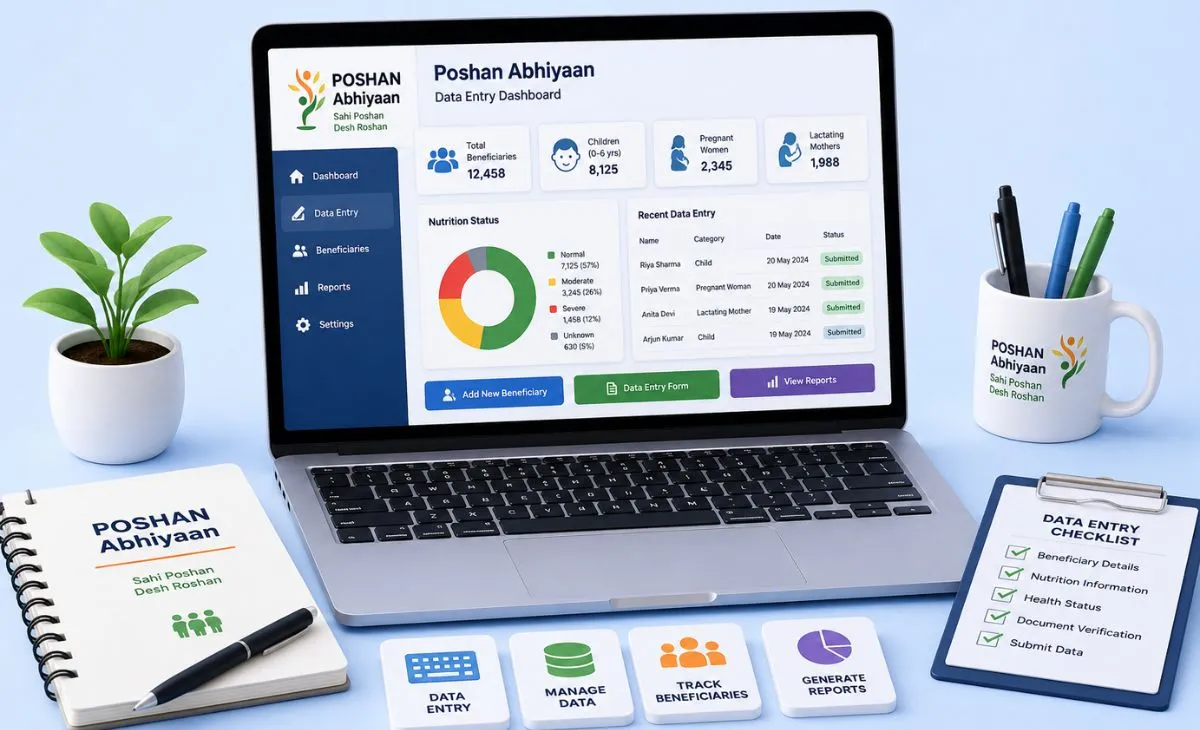
Poshan Abhiyaan data entry means recording nutrition activities online. This covers activities such as Anganwadi events, home visits, and health camps. It happens on the official government dashboard, poshanabhiyaan.gov.in. Workers, supervisors, and other field staff use it. They already work under India’s nutrition mission. It’s not for the public looking for a new job. This guide covers what the system does, how to log in, and what terms like Poshan Pakhwada mean.
What Poshan Abhiyaan Actually Is
Poshan Abhiyaan is also called the National Nutrition Mission. It’s a Government of India program. The Ministry of Women and Child Development runs it. It aims to improve nutrition for children, pregnant women, and new mothers across the country. A big part of the program depends on local activity tracking. That’s where data entry comes in.
One thing worth saying upfront: this isn’t a recruitment portal. Searching for this term, hoping for a job listing? You won’t find one here. It’s an internal reporting system. It’s for people already working at Anganwadi centers, ICDS departments, or related programs.
The Different Data Entry Systems Under Poshan Abhiyaan
A lot of confusion starts here. More than one system sits under the same mission:
Poshan Abhiyaan Jan Andolan Dashboard (poshanabhiyaan.gov.in). This is the main portal for logging community activities and events. Think nutrition camps, rallies, and awareness drives. Most searches for “Poshan Abhiyaan data entry” refer to this system.
ICDS-CAS (Common Application Software): This is a separate mobile app and web dashboard. Workers and supervisors use it for daily recordkeeping. This covers growth checks, beneficiary sign-ups, and service tracking. It replaces the paperwork that used to fill physical registers.
Poshan Tracker: This is a related system. Beneficiaries, like mothers with young children, can often log in directly with their registered mobile number and an OTP. No separate username or password needed. Field staff use a different login on the same platform for their department-level work.
Not sure which system applies to you? It usually comes down to your role. General activity reporting uses the Jan Andolan dashboard. Daily Anganwadi recordkeeping runs through ICDS-CAS or Poshan Tracker instead.
How to Log In and Enter Data on the Jan Andolan Dashboard
- Go to the official portal, poshanabhiyaan.gov.in.
- Click “Data Entry.” It’s usually in the top right of the homepage.
- Enter your username, password, and the captcha code, then sign in. Registered users get login credentials assigned. There’s no public sign-up.
- Select your data entry level. The system has five levels: National, State, District, Block, and Village/AWC (Anganwadi Center). Most field-level users pick Village/AWC.
- Choose the activity you’re reporting. Options include Home Visits, Poshan Rally, Anemia Camp, VHSND, and community awareness events.
- Select the relevant theme. This might be breastfeeding, immunization, hygiene, or general nutrition, depending on the activity.
- Enter participant numbers. Break these down by adults and children and by gender. Add the date of the activity too.
- Upload a photo and short description, if the activity needs one. Then submit.
A few practical details worth knowing. Each user can report up to 10 activities per center, per day. Sessions log out on their own after 10 idle minutes. The system usually shuts for maintenance from 12 AM to 5 AM daily. You can back-date entries for the last 5 days during Poshan Maah or Poshan Pakhwada. Other times, the window is 2 weeks.
What Poshan Pakhwada and Poshan Maah Actually Mean
These terms come up a lot around data entry deadlines. They mean specific campaign periods, not a separate data entry system:
Poshan Maah is a month-long nutrition awareness campaign. It’s usually held in September. There’s a big push for community events and activity reports across the country during this time.
Poshan Pakhwada is a similar, shorter campaign. It runs for a fortnight, fifteen days, usually around March. It focuses on the same kind of community activities and awareness drives.
During both periods, data entry spikes sharply. Field staff log a higher volume of community events during the campaign window.
Common Login and Data Entry Problems
Forgotten password: Most versions of the portal have a password reset option on the login page. It’s usually tied to your username or mobile number.
Session timeouts: The system auto-logs out after 10 minutes. It helps to have your activity details ready before you start, instead of looking them up mid-entry.
Entries not saving: This often ties back to the daily maintenance window, 12 AM to 5 AM. Or you’ve hit the daily activity limit for your center. Try again outside the maintenance window. Or check your day’s activity count. That usually fixes it.
Unsure which portal to use: If you’re a supervisor or Anganwadi Worker and can’t tell whether to use the Jan Andolan dashboard or ICDS-CAS, check with your block or district nutrition officer. Login credentials and access differ between the two systems.
Final Thoughts
Poshan Abhiyaan data entry plays a real role. It tracks India’s nutrition mission at the ground level. The process itself is fairly routine, once you know which system to use and what each field means. The main confusion usually isn’t the data entry steps. It’s figuring out which portal applies to your role — Jan Andolan dashboard, ICDS-CAS, or Poshan Tracker. Once that’s sorted, the entry process stays simple.
FAQ
Is Poshan Abhiyaan data entry a job I can apply for?
No. It’s an internal reporting system. It’s for people already working as Anganwadi workers, supervisors, or other nutrition mission staff. It isn’t a public job listing or recruitment portal.
What’s the difference between Poshan Abhiyaan data entry and ICDS-CAS?
The Jan Andolan dashboard mainly logs community activities and events. ICDS-CAS is a separate system. It handles routine Anganwadi recordkeeping, like growth checks and beneficiary sign-ups.
What is Poshan Pakhwada?
It’s a fortnight-long nutrition campaign, usually held in March. It focuses on community events and activities. It’s a campaign period, not a separate data entry system.
How many activities can I report per day on the Poshan Abhiyaan portal?
Up to 10 activities per Anganwadi center per day. The exact total depends on how many centers fall under your login.
What should I do if my Poshan Abhiyaan data entry isn’t saving?
Check if the portal is in its daily maintenance window, usually 12 AM to 5 AM. Check if you’ve hit the daily activity limit for your center too. Still stuck? Contact your block or district nutrition officer.